Studio / Swfte Studio

Build Intelligent AI Experiences

Swfte Studio is the complete platform to design agents, create chatflows, automate workflows, and deploy across every channel—all without code.

10K+ Agents Deployed · 50M+ Conversations · 99.9% Uptime SLA

Workflow Automation · Agent Building · Analytics Pipelines · Customer Support · Document Processing

Studio / In motion

From an idea
to a working flow.

RECORDED PRODUCT FOOTAGE / DEMONSTRATION DATA
Studio / A closer look

Inside the workflow.

From the first request to the final human decision.

CONCEPTUAL SOFTWARE MODEL
SCROLL TO SEPARATE THE LAYERS ↓
THE WORKFLOW ASSEMBLY
01/ 06
The trigger

Start with a real piece of work.

Choose the event or request that begins the workflow. Define the input and the person responsible for it.

THE USEFUL RESULT

A request with a clear starting point.

EXPLORE / ROTATE / SEPARATEA VISUAL EXPLANATION OF THE CONCEPT, NOT PHYSICAL HARDWARE

The experience, made tangible

Give every step a reason.

A working example of Studio inside a connected workflow. Explore it to see where context, assisted work and a human decision meet.

Swfte Studio AI

Always here to help

Online

Hi! I'm your AI workflow assistant. I can help you build automations for customer support, document processing, data pipelines, and more. What would you like to create today?

The Studio Workflow

From Concept to Production, Smoothly

Studio guides you through every step of building intelligent AI experiences. Design, build, deploy, and scale—all from one unified platform.

Build

Design Your Agent

Create context-aware AI agents using our visual canvas. Define personas, connect knowledge bases, and configure capabilities—all without code.

Visual builderKnowledge groundingCustom personas
1
Chatflow

Map Conversations

Design conversational journeys with branching logic. Handle intents, extract entities, and guide users through complex interactions.

Intent recognitionEntity extractionBranching logic
2
Workflow

Orchestrate Actions

Connect agents to real-world actions. Trigger automations, integrate with your existing tools, and execute business processes.

100+ integrationsConditional logicEvent triggers
3
Deploy

Ship to Production

Go live with zero-downtime deployments. Built-in versioning, instant rollbacks, and A/B testing ensure reliability at scale.

One-click deployVersion controlRollbacks
4
Omni-Channel

Engage Across Channels

Meet users wherever they are. Deploy across chat, voice, email, and SMS with unified context and smooth handoffs.

Chat & voiceEmail & SMSUnified context
5
Start Building with Studio

Free to start • No credit card required

See Studio in action

From a sentence to a shipped agent

Everything below is the Studio surface, live, building itself.

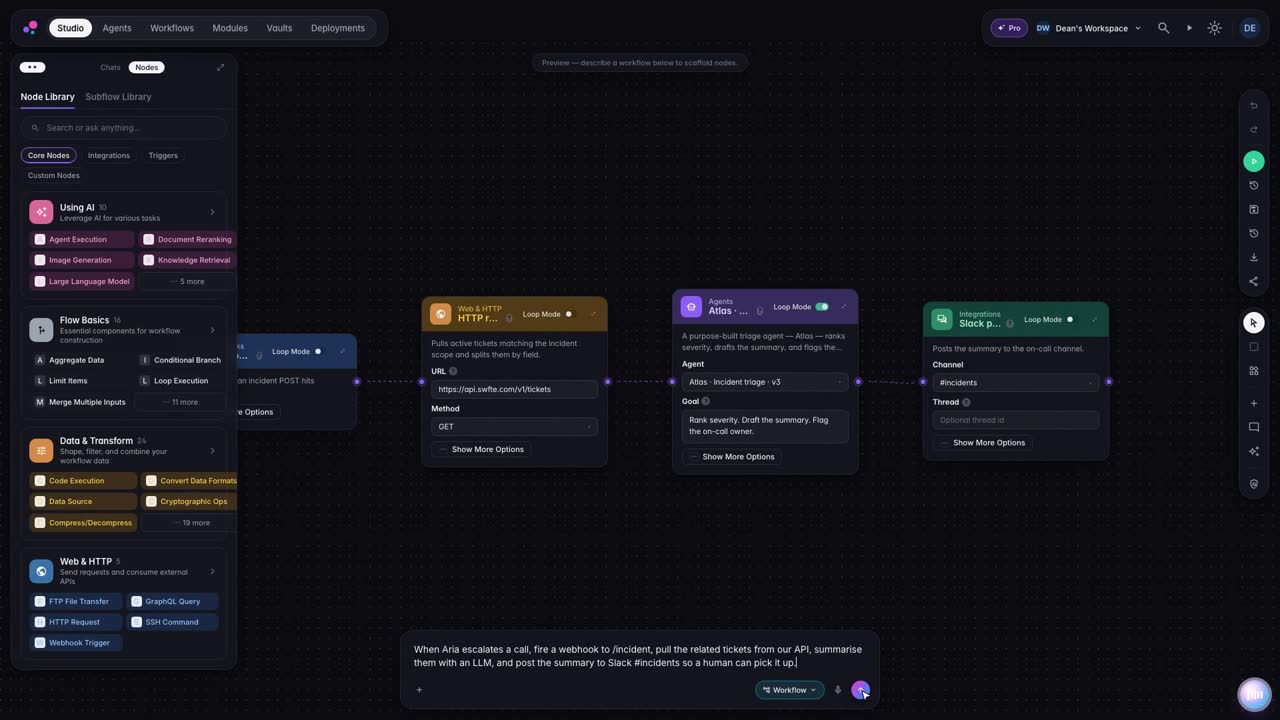
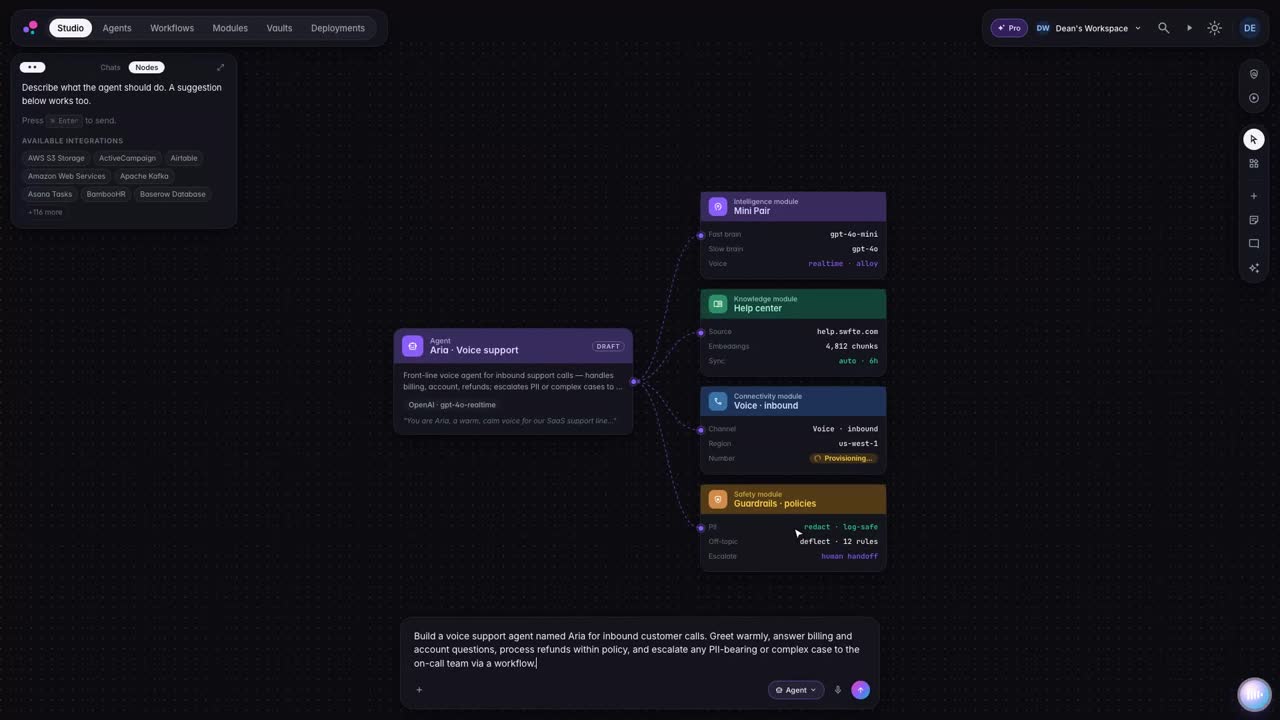
Describe it in plain language

Type what you want to build. Studio turns the prompt into a working agent, workflow, or chatflow: no code required.

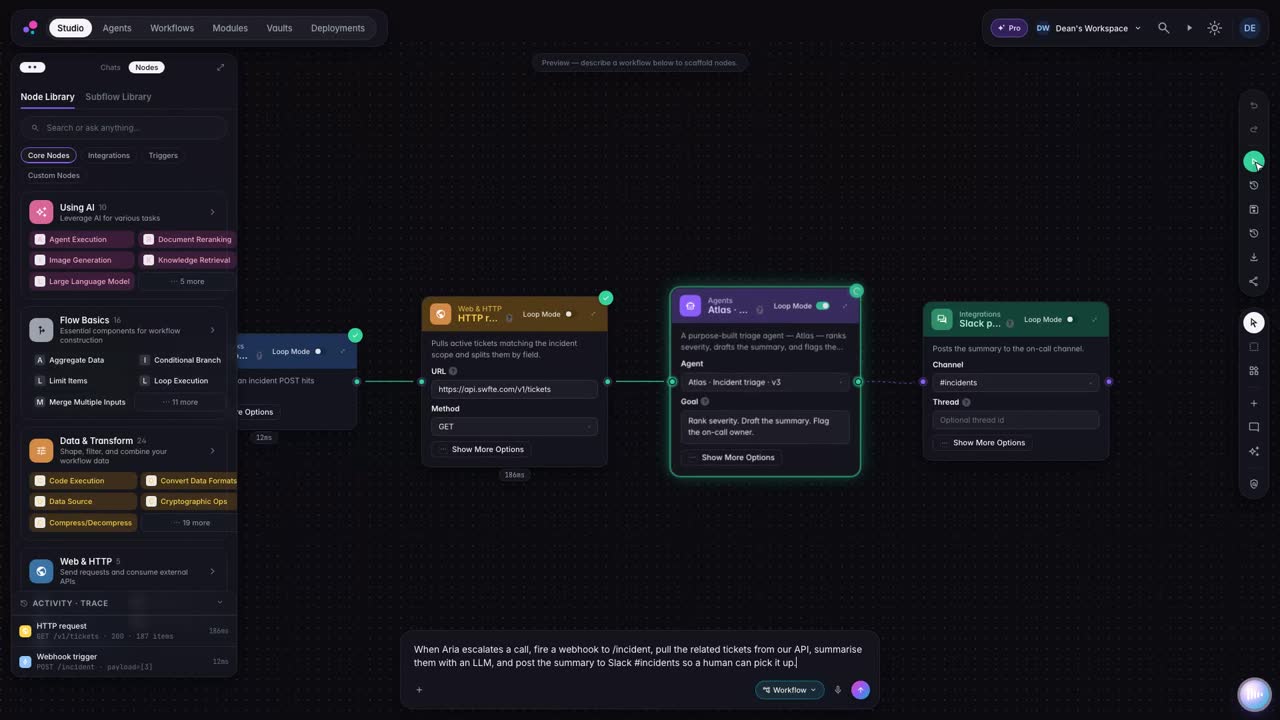
A visual canvas for real logic

Branch, loop, and call your tools on a drag-and-drop canvas that stays readable as it grows.

Agents that hold a real conversation

Grounded in your data, multi-turn, and ready to take action, not just answer.

The Complete Studio Toolkit

Everything you need to build, test, deploy, and scale AI experiences

01 / Studio

Visual Orchestration

Compose agents, tools, and policies as reusable blocks. Parameterize environments and publish once for dev, staging, and prod.

02 / Studio

Testing & Evaluation

Golden sets, regressions, A/B experiments, and guardrail checks so every change is measurable and safe.

03 / Studio

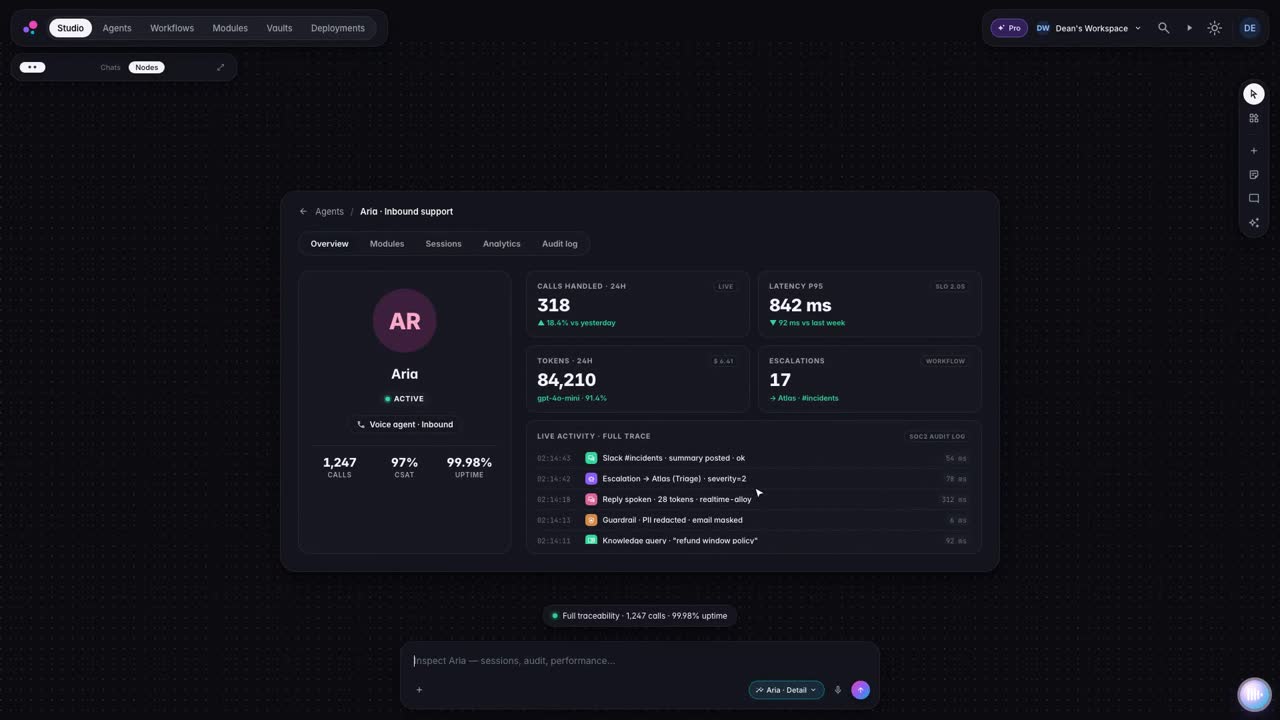
Full Observability

Traces, logs, prompts, inputs/outputs, token and cost telemetry, and per-step performance insights.

04 / Studio

Versioning & Rollouts

Semantic versions, release channels, gradual rollouts, and instant rollbacks with audit trails.

05 / Studio

Governance & Policies

Role and tenant controls, safety filters, data retention policies, and approvals embedded in your release flow.

06 / Studio

Collaboration

Invite teammates, review diffs, annotate traces, and share live previews with stakeholders.

Endless Possibilities

Studio Connects to Everything

Integrate with 1000+ apps through Zapier, n8n, Make, and native connectors. Build workflows that connect your entire tech stack.

Slack
Discord
Microsoft Teams
WhatsApp
Twilio
SendGrid
Intercom
Zendesk
Notion
Asana
Trello
Jira
Linear
Airtable
Google Sheets
Figma
Salesforce
HubSpot
Gmail
Outlook
Slack
Discord
Microsoft Teams
WhatsApp
Twilio
SendGrid
Intercom
Zendesk
Notion
Asana
Trello
Jira
Linear
Airtable
Google Sheets
Figma
Salesforce
HubSpot
Gmail
Outlook
GitHub
GitLab
PostgreSQL
MySQL
MongoDB
Redis
Supabase
Firebase
Stripe
PayPal
Shopify
AWS
Google Cloud
Microsoft Azure
Zapier
n8n
Make
Dropbox
Contentful
WordPress
GitHub
GitLab
PostgreSQL
MySQL
MongoDB
Redis
Supabase
Firebase
Stripe
PayPal
Shopify
AWS
Google Cloud
Microsoft Azure
Zapier
n8n
Make
Dropbox
Contentful
WordPress
1000+Integrations
40+Categories
5minAvg Setup Time
Native integrations with:
Zapier
n8n
Make
Security & Compliance

Studio Security & Compliance

Swfte Studio is built from the ground up with enterprise security and compliance at the core.

SOC 2 Type II

Independently audited security controls

GDPR Compliant

Full data protection compliance

HIPAA Ready

Healthcare data protection

ISO 27001

Information security management

Swfte Studio completely transformed how we build AI experiences. We went from months of development to deploying production-ready agents in days.

Portrait of Joana Almeida
Joana Almeida
VP Engineering at Lumitra
FAQ

Frequently asked questions

Swfte Studio lets you build AI agents, conversational chatflows, automated workflows, and multi-channel experiences. From customer support bots to sales automation, document processing to data analysis—if it involves AI, you can build it in Studio.

Still have questions? Contact our team

Ready to build with Studio?

Join thousands of teams using Swfte Studio to build, deploy, and scale intelligent AI experiences.
Enterprise plans available · SOC 2 Type II certified

Build this in Studio

Describe what you need in plain language. Studio builds the agents and workflows, and you keep every version.